Clipela | AI Video Advertising Agency

Get In Touch
- Phone +1 (321) 213-9133
- Email sales@clipela.com
- Address 7910 4th St N Suite 10941, St. Petersburg, FL 33702, United States
- Follow us

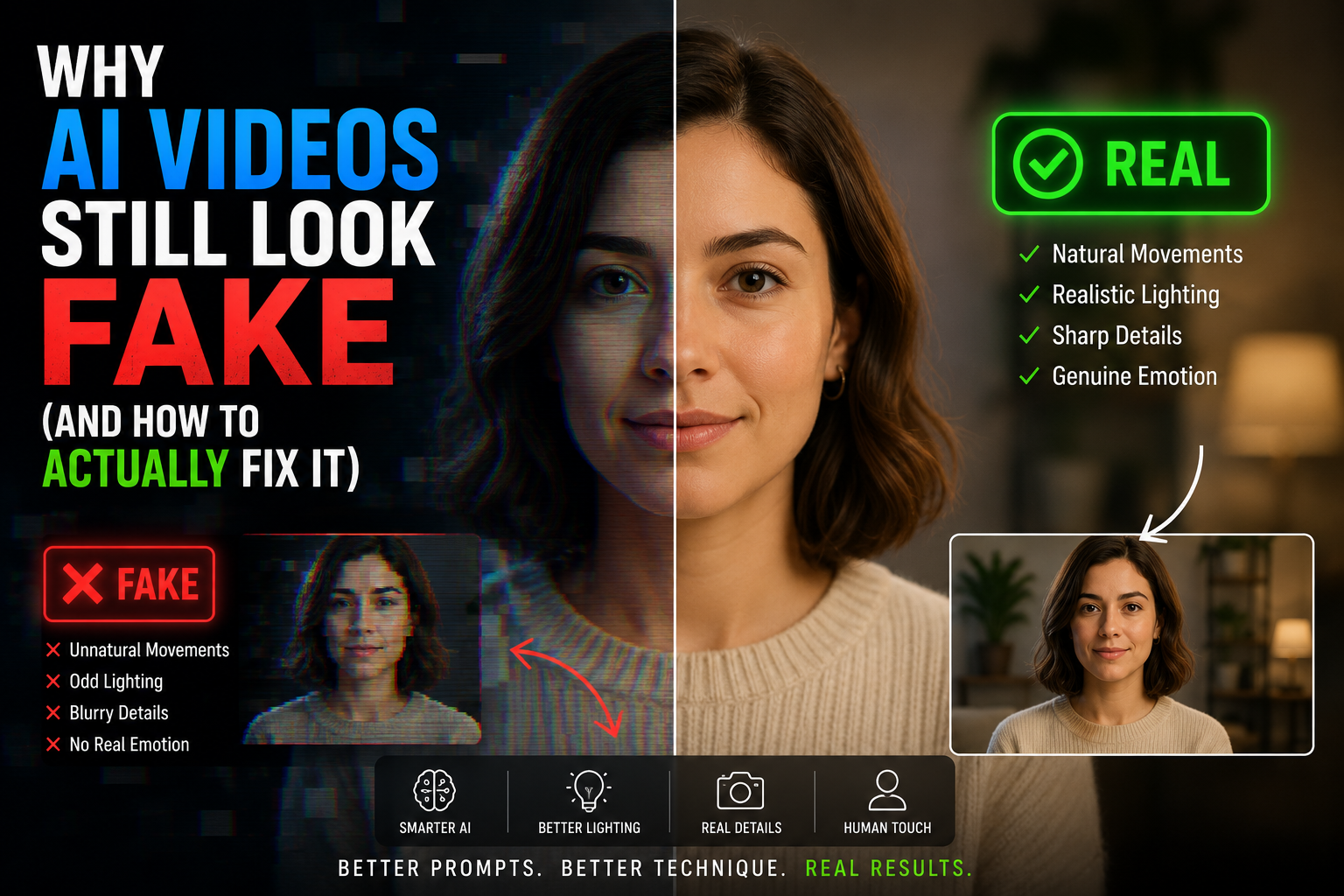
Why AI Videos Still Look Fake (And How to Actually Fix It)
AI video looks fake because current generators still struggle with four things: consistent lighting and shadow physics, natural human motion, frame-to-frame consistency, and motivated camera movement. Fixing it isn’t about a single “magic prompt.” It’s a workflow of shot planning, multi-pass generation, and post-production polish, the same way real footage gets treated.
I’ve sat in enough client review calls to know the moment by heart: the clip plays, everyone nods, then someone leans toward the screen and asks, “Wait, does that look a little off?”
That reaction isn’t a flaw in your prompting, and it doesn’t mean you picked the wrong AI video tool. It’s a predictable response to technical gaps every current text-to-video model shares. After running AI-generated video through real ad campaigns for years, I’ve found closing the gap has little to do with writing a “better” prompt and everything to do with treating AI video production as a pipeline, not a slot machine.
The Uncanny Valley Isn’t a Metaphor—It’s a Measurable Effect
The term “uncanny valley” comes from a 1970 essay by robotics professor Masahiro Mori, who studied how people respond emotionally to humanoid robots. His finding: as a robot’s appearance becomes more human, people like it more—until it’s almost perfect but not quite. At that point, affinity doesn’t plateau; it drops off a cliff into discomfort.
Swap “robot” for “AI-generated face” and the graph looks the same. A clip that’s 80% photorealistic reads as a stylized choice. A clip that’s 96% photorealistic reads as wrong because your brain built its expectations around the missing 4%—not the 96% that worked.
Why Your Brain Catches Fake AI Video in Under Two Seconds
Reading faces and body language accurately was once a survival skill, and that wiring never left. A blink landing a frame late, a hand hovering too long, or a shadow angled away from the light source—viewers clock it before they can explain why. On a scroll-stopping ad, you have about two seconds before that instinct decides whether someone keeps watching.
What’s Actually Breaking Realism in AI-Generated Video
These problems rarely show up alone—a failing clip usually stacks three or four at once.
- Character drift — a face, hairstyle, or outfit shifting between cuts. I’ve had campaigns regenerated because a jacket color drifted two shades between scenes.
- Flat or mistimed expressions—models default to an evenly lit, neutral face far more often than a real actor would.
- Camera motion with no motivation — movement drifts because the model wasn’t given a reason to move, unlike a real operator.
- Lighting that ignores physics — models predict likely pixels rather than calculate where a shadow should fall, leaving shadows angled wrong or faces lit evenly in scenes needing hard directional light.
- Physics-breaking motion in hair, fabric, and liquid, since models learn what motion looks like, not how mass or momentum behaves.
- Over-smoothed skin from aggressive noise suppression, flattening texture into a plastic surface.
- Generic backgrounds and frame drift, completing the “almost right” look.
How Professionals Actually Close the Realism Gap
1. Direct the Shot — Don’t Just Describe It
Professionals getting cinematic AI video results specify lens choice, framing, camera motivation, and emotional beat—the same brief you’d hand a real cinematographer. “Cinematic shot, dramatic lighting” tells the model almost nothing. “Slow push-in on her face as she reads the letter, single hard key light from screen left, 50 mm” gives it something to execute.
2. Treat AI Video Generation Like a Pipeline
No experienced creator ships the first generation. A scene gets broken into multiple passes, variations are compared side by side, and the final cut is assembled from the best seconds of several generations—not one perfect take. Reference images give the model something concrete to match instead of guessing.
3. Finish It Like Real Footage
This step gets skipped most, yet matters most. Color grading unifies lighting across separate generations. Sound design—ambient bed, Foley, and mix—adds physical presence a silent clip never has alone. Stabilization and grain remove the flickery quality that reads as “AI” even when content looks fine.
How to Choose an AI Video Tool Without Chasing Every Release
Judge any AI video generator against this checklist, not whatever launched recently:
| What to Check | Why It Matters |
| Motion quality | How natural human movement and object interaction look |
| Character consistency | Whether faces and outfits hold steady across shots |
| Prompt control | Whether you can direct camera, lighting, composition |
| Camera movement | Whether motion feels motivated or just floats |
| Editing flexibility | Refined output or locked into the raw render? |
| Commercial licensing | Cleared for ads and brand use? |
| Brand consistency | Repeatable look across a campaign? |
| Rendering speed | Iterations you can realistically test |
Sora, Veo, Runway, Kling, Pika, Luma, and Adobe Firefly each lean into different strengths—some for character stability, others for speed—so the right pick depends on the project, not what trended this month.
Mistakes That Quietly Sabotage AI Video Realism
- Stacking contradictory adjectives into one prompt
- Vague direction like “cinematic shot” with no real camera intent
- Leaving lighting unspecified and letting the model guess
- Flat, overly symmetrical facial expressions
- Oversaturated color and sharpness with no environmental context
- Skipping post-production entirely
Frequently Asked Questions
Why do AI videos still look fake?
Mainly because current AI video models struggle with consistent lighting, natural human motion, and frame-to-frame stability—small imperfections human vision is unusually good at catching.
Can AI-generated video actually look cinematic?
Yes, but not from a single prompt. It takes deliberate shot direction, multiple generation passes, and real post-production—color grading and sound design, especially
Which AI video tools produce the most realistic results right now?
It depends on use case, but Sora, Veo, Runway, and Kling are generally considered strong performers for character consistency and motion realism as of mid-2026.
Is the prompt more important than the model, or the other way around? Neither works alone. A strong model with a vague prompt still produces generic output, and a great prompt can’t fully compensate for a model weaker at motion or lighting.
Do professionals still edit AI-generated footage after it’s generated?
Almost always. Raw output is a starting point—grading, sound design, and stabilization separate a rough generation from something a client would approve.
The Actual Takeaway
AI video has closed a lot of ground fast, but “type a prompt and ship it” was never a realistic finish line. Brands getting believable results treat AI-generated footage like raw footage: plan the shot with intent, pick the right tool for the project, and finish it properly before anyone sees it. That last step separates a clip that impresses for two seconds from one that holds attention to the end.